
Windows 10 & 11: What Happens When You Change Hardware IDs
Scope: Consumer Windows HWID binding, digital license reactivation after hardware upgrades (Windows 10 and Windows 11). Error code fixes → Error Database (0x803FA071, 0x803F8001). Channel differences → OEM vs. Retail. Enterprise MAK/KMS keys → Volume Licensing Audit.
Searches for windows 10 change hardware ids or windows 11 activation after hardware change usually originate when a system is rebuilt: “I upgraded my motherboard or CPU—why is Windows reporting an ungenuine license, and how do I fix it?” You cannot manually edit or spoof the Hardware ID in Windows. The operating system’s Software Licensing Service (SLS) recalculates the hardware hash automatically and compares it with the entitlement registered on Microsoft activation servers.
On both Windows 10 and Windows 11, the cryptographic logic is identical:
- Initial registration: Activating Windows binds a digital license to your motherboard and CPU hardware profile (and links to your Microsoft Account).
- Hardware hash shift: Installing a new motherboard generates a drastically altered HWID hash.
- Tolerance trigger: When the recalculated hash exceeds Microsoft’s internal tolerance score, local activation revokes until re-authenticated via account transfer.
A “failed” product key after upgrade is almost always a rebinding state, not proof that the key itself has been blacklisted. Verifying whether you own an OEM or Retail license determines your next step.
The Root Cause: How Microsoft Fingerprints Your PC
This is not magic; it is deterministic cryptographic hashing and entitlement verification. Understanding this pipeline helps you diagnose Windows activation after a motherboard upgrade without purchasing unnecessary replacement licenses.
HWID (Hardware ID) Architecture
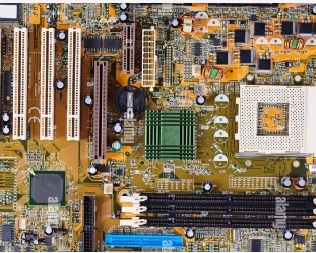
Windows constructs a unique system fingerprint combining serial numbers, firmware IDs, and hardware signatures from primary subsystems: motherboard BIOS/UEFI, CPU microcode, system drive serial, and MAC addresses. That cryptographic composite represents your Hardware ID. Peripheral additions or swap-outs (sound cards, webcams) contribute negligible weight. Swapping the baseboard changes the primary anchor of the hash, signaling Microsoft’s servers that this is an unverified PC.
Digital License vs. Product Key
Following initial online activation, Windows shifts from validating the 25-character key to maintaining a Digital Entitlement (Digital License) stored in Microsoft’s cloud licensing database. Re-entering your original product key after replacing hardware frequently errors because Microsoft’s servers see that key as already consumed by the old HWID profile.
“Hardware ID Binding Is Beyond Level of Tolerance”
Quick Answer (Definition & Cause)
“Hardware ID binding is beyond level of tolerance” means Windows detected that core hardware components (primarily the motherboard) were replaced. The operating system’s cryptographic hardware hash no longer matches the digital entitlement registered on Microsoft activation servers, requiring license reassignment through the Activation Troubleshooter rather than entering a new key.
This condition (frequently triggering error codes 0x803FA071, 0x803F8001, or 0xC004C003) indicates that the cumulative point delta between your former and present system hardware hash exceeded Microsoft’s internal tolerance score.
Primary triggers that breach activation tolerance:
- Motherboard replacement (assigns maximum hash weight).
- Simultaneous CPU and system drive upgrade on an existing board.
- Cloning a drive image to a completely new PC platform.
- Major BIOS/TPM architecture change that rewrites base system identifiers.
Which Hardware Changes Trigger HWID Rebinding?
Microsoft uses a weighted scoring mechanism. Upgrades that stay under the cumulative point threshold maintain activation status uninterrupted:
| Component | HWID Weight / Points | Typical Activation Outcome |
|---|---|---|
| Motherboard (Baseboard) | Highest (Primary Anchor) | Exceeds tolerance; requires account reactivation |
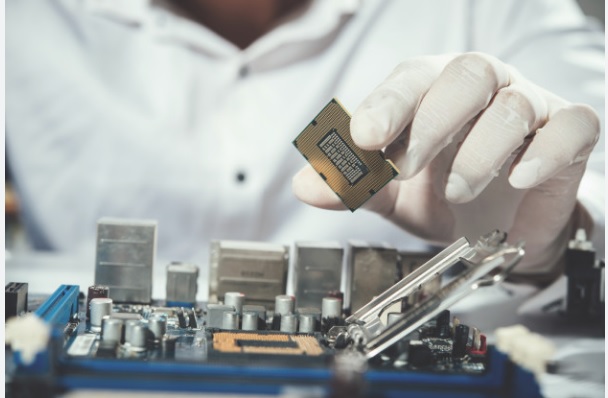
| Processor (CPU) | High Weight | May require recheck if paired with BIOS update |
| Primary NVMe / SSD | Medium Weight | Activation survives if motherboard remains identical |
| Graphics Card (GPU) | Low Weight | Activation remains completely intact |
| RAM / Memory Modules | Minimal Weight | Never triggers tolerance limits |
Audit note: A “failed” key after an upgrade is often a rebinding problem, not proof that the original purchase was invalid. Confirm license channel (Retail vs. OEM) before you spend money again.
Pre-Upgrade Verification: How to Check Your License Channel (slmgr)
Before replacing PC components, determine if your license is legally and technically eligible to transfer. Windows does not disclose this plainly in the basic Settings app.
1. Check Channel (Retail vs. OEM)
Press Win + R, type cmd, and run:
slmgr.vbs /dli
• RETAIL: Transferable to new motherboard.
• OEM_DM: Locked to current motherboard.
2. Extract Key from UEFI BIOS
To retrieve factory-embedded OEM key, run in CMD or PowerShell:
wmic path softwarelicensingservice get OA3xOriginalProductKey
Displays the 25-character key embedded into motherboard firmware.
⚠️ Crucial Diagnostic Note: The "Windows MAK Key" Trap
If your diagnosis returns a Windows MAK key (Multiple Activation Key) or Volume licensing channel, your installation was provisioned through corporate volume agreements. Unlike personal Retail digital licenses, a Windows MAK key cannot be transferred or rebound to new hardware using a personal Microsoft account. If you swapped your motherboard on a PC using a MAK key, activation will permanently fail once the hardware hash changes. In such cases, contact your corporate IT department or purchase an independent consumer Retail entitlement.
Why This Matters for ITAM and Compliance
From an IT asset management (ITAM) and enterprise compliance perspective, unmonitored HWID changes create measurable operational overhead:
- Downtime risk: Systems unexpectedly flagging deactivation watermarks during production hours impact workflow and employee SLA standards.
- Unnecessary licensing spend: Technicians frequently purchase second keys when the issue is merely an unlinked Retail digital license.
- Audit discrepancies: Inventories tracking 25-digit keys without logging hardware hash entitlement status risk compliance failures during Microsoft SAM reviews. For organizational licensing (MAK/KMS), consult our dedicated Volume Licensing Compliance Guide.
How to Regain Control: Two Reliable Reactivation Methods
Before purchasing replacement software, execute these Microsoft-supported remediation workflows:
Method 1: Proactive Microsoft Account Linking (Before Upgrade)
The definitive solution is establishing an account-backed digital entitlement prior to disassembling hardware:
- Navigate to Settings → System → Activation.
- Verify the status: "Windows is activated with a digital license linked to your Microsoft account".
- If it displays an unlinked digital license, select Add an account and authenticate using your Microsoft ID.
Method 2: Reactive Activation Troubleshooter (Post-Upgrade)
If hardware is already installed and Windows displays deactivation notifications:
- Open Settings → System → Activation.
- Click Troubleshoot.
- Select the hyperlinked prompt: “I changed hardware on this device recently”.
- Sign in with the Microsoft account credentials associated with the previous build.
- Select your former device hostname from the registered equipment list and click Activate.
Important limitation: This utility transfers valid Retail licenses. An OEM license cannot legally or technically transfer to a replaced motherboard under Microsoft End User License Agreements (EULA).
Conclusion
Understanding HWID binding prevents unnecessary license purchases. Your product key did not expire; rather, your system’s hardware hash shifted beyond the activation server’s tolerance boundary. Proactively link licenses to a Microsoft account, confirm Retail channel eligibility with slmgr.vbs /dli, and utilize official troubleshooting tools to restore legitimate entitlements seamlessly.
Continue exploring: OEM vs. Retail · Error Codes Database · Buyer Safety Checklist · Knowledge Base.
Need a Replacement Windows License?
If your previous installation was an OEM channel license tied to a decommissioned motherboard, compare verified retail activation offers on our monitored reference marketplace.
* Sponsored link: KeyAuditLab operates as an independent research lab. Transactions are secured via platform buyer protection escrow.
Frequently Asked Questions
Open Command Prompt as Administrator and execute slmgr.vbs /dli. Examine the "Description" field. If it displays RETAIL channel, your license can transfer to a replacement motherboard via Microsoft account binding. If it indicates OEM_DM or OEM_COA_NS, the entitlement is permanently tied to the current motherboard.
No. Microsoft’s hardware hashing algorithm assigns low weight to storage drives and memory modules. Only changing the motherboard (which acts as the cryptographic root) or combining multiple major upgrades simultaneously will exceed activation tolerance thresholds.
Usually no. Windows weighs components differently. A GPU change rarely exceeds the threshold that Microsoft treats as a new PC. Motherboard or major CPU replacements are the typical triggers for a digital license recheck.
Technically and contractually, OEM licenses are bound to the first motherboard they activate on. Retail licenses are the transferable consumer class. Details and buyer checklists are in our OEM vs. Retail guide.
Because the key was already used to establish a digital license on the previous HWID. Servers are matching hardware fingerprints more than “unused” product keys. Use account rebinding and the Activation Troubleshooter; if a specific code appears, look it up in the error database.
The Software Licensing Service detected that your Hardware ID changed beyond Microsoft’s allowed threshold - after a motherboard or major CPU upgrade. Your digital license is still tied to the old fingerprint. Use Microsoft account binding and the Activation Troubleshooter; for step-by-step fixes see 0x803FA071 and 0x803F8001.
No. Windows calculates the Hardware ID (HWID) cryptographically based on component serials and hashes; you cannot manually edit it. You must reactivate using Settings → System → Activation → Troubleshoot.
No. A Windows MAK key (Multiple Activation Key) is an enterprise volume license with a server-enforced activation count. Unlike consumer Retail digital licenses, a Windows MAK key cannot be rebound to a new motherboard via a personal Microsoft account. Once hardware IDs change beyond tolerance, the entitlement cannot be restored without enterprise admin re-authorization.